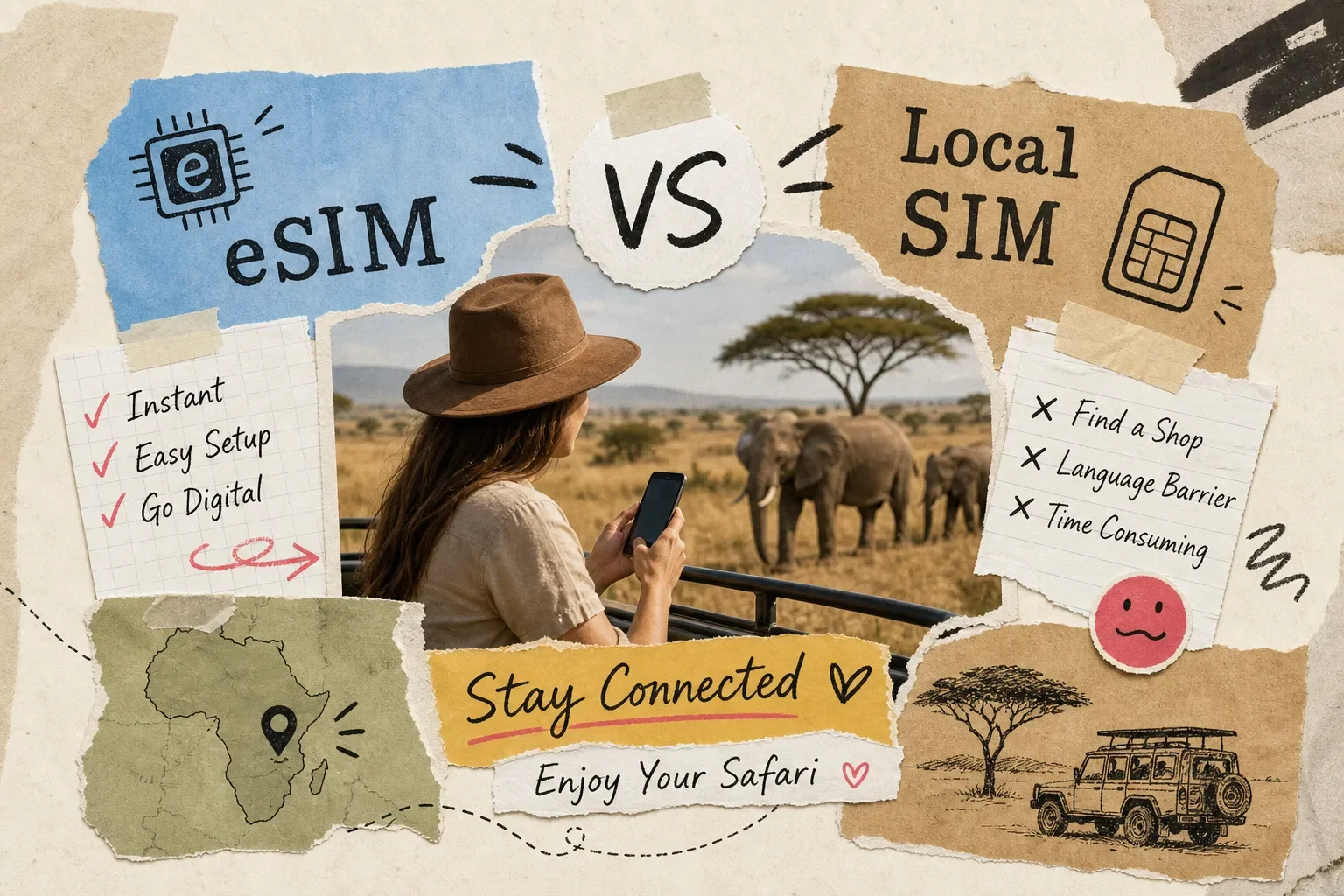
Should I get an eSIM or local SIM card for my Africa safari? It's the question every American traveler hits at some point during trip planning, and if you wait until you're standing jet-lagged in the Nairobi arrivals hall, you've already made it harder than it needs to be. Picture it: you've just landed at Jomo Kenyatta International Airport, your luggage is on the carousel, and you're eyeing a SIM card kiosk near baggage claim while your driver waits outside. Every safari traveler hits this fork in the road. The good news is that you can make this call confidently before you board, whether you're crossing multiple African countries or staying in one region for your entire trip.
Purpose-built Africa eSIM providers have genuinely changed the math for US travelers. Services that connect you directly to networks like Safaricom or Vodacom before you ever leave home have made the old "hunt down a SIM on arrival" routine feel outdated. That said, a local SIM still has real advantages in specific situations. This article breaks down exactly how the two options compare across convenience, cost, coverage, and setup, so you walk away knowing which choice fits your itinerary.
Should I Get an eSIM or Local SIM Card for My Africa Safari? Quick Answer
For most American travelers on Kenya, Tanzania, or multi-country itineraries: get an eSIM. It eliminates airport friction, sidesteps registration hurdles like South Africa's RICA process, and connects you to the same local networks a physical SIM would use. The main exception is ultra-remote, single-destination travel where one local carrier holds a clear rural coverage edge and you're willing to trade convenience for it. Keep reading for the full breakdown.
What Actually Separates an eSIM from a Physical SIM Card
A physical SIM is a removable chip you insert into your phone's SIM tray. An eSIM is a digital profile downloaded directly to your phone's built-in hardware via a QR code, no tray required. For a physical SIM, that means sourcing a card from an airport kiosk, a carrier store, or a street vendor after you land. For an eSIM, it means scanning a QR code from your email, typically from your living room two or three days before departure.
When people talk about a "local SIM" in Africa, they mean a card that registers you as a domestic subscriber on that country's network. That status often means better signal priority and the most affordable per-gigabyte rates available. The tradeoff is logistics: a Kenya-Tanzania-Uganda itinerary typically means three separate SIM cards, three plan activations, and three different registration requirements to navigate on arrival days that are already packed.
Most current iPhones and Android flagships support dual SIM, meaning you can keep your US home number active on one line while running an Africa data profile on another. On iPhone 14 and later US models, both lines are eSIMs since Apple removed the physical SIM tray on domestic versions. On earlier models (XS, XR, and through iPhone 13), you can run one physical SIM alongside one eSIM simultaneously. Many Samsung Galaxy and Google Pixel flagships also support eSIM, though regional hardware variants can differ, worth verifying against your specific model before you buy. This dual-SIM setup is what makes eSIMs most attractive for safari travelers: your home number stays reachable, your data costs stay manageable, and you handle everything through the Settings app.
Convenience and Setup: Where the Gap Is Biggest
Getting a local SIM in most African countries means a physical stop, often at a busy airport kiosk or a carrier store in the city. Lines can be long, stock for specific carriers occasionally runs low, and if you land late at night, your options shrink fast. An eSIM delivered via QR code has none of those variables. You scan it at home, the profile installs quickly (most providers estimate a few minutes), and you land connected.
South Africa adds a specific wrinkle worth knowing about: the RICA law requires every SIM card to be registered to a verified identity before activation. For tourists, that means presenting your original passport plus proof of accommodation, a hotel booking confirmation works, at the point of registration. You can buy the SIM at OR Tambo or Cape Town International, but the card won't function until the RICA step is complete. Depending on the queue, that adds real time and friction to an arrival day that already has a lot going on. Several other countries on common safari routes have their own registration requirements, which compounds the challenge for multi-country travelers.
With a travel eSIM, the entire setup happens before your flight. Purchase the plan, receive your QR code, scan it, install the profile, and set the eSIM as your data line in cellular settings. On arrival, the profile connects automatically to the local partner network. No queue, no registration desk, no worrying about whether a kiosk has the right carrier in stock.
Coverage in Safari Regions: What to Realistically Expect
Gateway Cities and Transit Hubs
Gateway cities perform well across all options. Nairobi, Arusha, Dar es Salaam, Cape Town, and Johannesburg all have solid 4G on major networks. Most lodge areas adjacent to flagship parks, including the Masai Mara, Amboseli, the Serengeti's rim, the Ngorongoro crater area, Kruger's entrances, and most of Zanzibar, also have usable signal on premium local networks. A well-chosen eSIM running on Safaricom or Vodacom performs comparably to a physical local SIM in these zones.
Deep Interior Safari Zones
Remote interior areas are a different story, and this applies to every connectivity option equally. The deep heart of the Serengeti, Bwindi Impenetrable Forest in Uganda, Botswana's Okavango Delta, and Namibia's Skeleton Coast are documented weak- or no-signal areas regardless of what card is in your phone. Inside the Masai Mara itself, traveler forums and lodge staff reports consistently show reasonable signal near main gates and major camps, but frequent signal loss on game drives once you're out in the bush. In these zones, offline maps downloaded in advance and lodge Wi-Fi become your primary tools. No SIM card, however well-chosen, overcomes terrain and infrastructure limits.
Matching Your Plan to Your Itinerary
For a single-country safari, a country-specific plan on the dominant local network gives you the strongest coverage profile. For multi-country trips, a regional Africa eSIM covers more ground without requiring separate activations in each country, though coverage depth varies by destination. The key variable is which underlying network the eSIM actually uses: plans running on Safaricom in Kenya or Vodacom in Tanzania typically match local SIM performance closely in areas where signal exists.
eSIM or Local SIM for Africa Safari: The Real Data Cost Comparison
US carrier roaming in Africa is expensive, full stop. Verizon's TravelPass runs around $12 per day in Kenya and Tanzania, and AT&T's International Day Pass runs approximately $10 per day in both countries, verify current rates on each carrier's website before you travel, as pricing changes. T-Mobile includes slow data on many plans at no extra daily charge, with faster mobile data access requiring a paid add-on. Without any day pass activated, pay-per-use data on Verizon and AT&T can reach $2.05 per megabyte, which adds up dangerously fast when you're uploading wildlife photos or running Google Maps across a game drive. For a 10-day safari, roaming through a US carrier on a day pass alone runs $100 to $120 before you account for heavy data use.
Local SIM pricing on networks like Safaricom is built around local purchasing power, which means dramatically lower per-gigabyte costs than anything a US carrier offers. Safaricom tourist bundles in Kenya run from 250 MB for KES 20 (roughly $0.15 at mid-2026 exchange rates) up to 30 GB for KES 2,000 (roughly $15) for a 30-day validity. No US carrier plan comes close on a per-GB basis. Travel eSIM plans for Africa vary by provider, with regional Africa Safari bundles for single-country coverage commonly priced well below US carrier roaming on a per-day basis, providers like Airalo, Nomad, and Holafly all offer regional Africa-region data plans worth comparing.
SafarieSIM is built specifically for safari travelers, with Africa-first network coverage across Safaricom, Vodacom, and MTN. Plans start at $0.99 per day across 40+ African countries, and the service offers both data-capped and high-usage data plan options, check the current plan page for full details on tiers and terms. That positions SafarieSIM well below US carrier roaming costs and in line with local SIM value once you factor in the convenience of zero-registration setup and 24/7 support from people who know safari connectivity. A money-back guarantee is listed on the site, so confirm current terms before purchasing.
When a Local SIM Card Still Makes More Sense
For a safari concentrated entirely in Kenya, a physical Safaricom SIM bought at a Nairobi store can give you marginally deeper rural coverage priority as a domestic subscriber in a handful of remote corridors. This advantage is narrow and increasingly closed by eSIM providers running Safaricom profiles, but it's worth acknowledging for travelers heading to places like Tsavo or Samburu where signal is already thin.
Uganda and Rwanda present a slightly different case. eSIM support exists in both countries, but network depth for safari-specific zones like Bwindi Impenetrable Forest is more limited. An MTN Uganda or MTN Rwanda local SIM bought at an in-country store may give you marginally better practical performance in the park access zone, particularly for voice calls. The tradeoff is navigating SIM registration on what is often an early-morning gorilla trek departure day.
For travelers staying 30 or more days in a single country, local SIM prepaid bundles may offer better long-term value than travel eSIM plans priced for short visits. This is a smaller group of safari travelers, primarily researchers, conservation volunteers, and extended-stay visitors, but daily-rate eSIM plans do become comparatively expensive over a very long stay.
How to Check Compatibility and Set Up the Right Option Before You Fly
Dial *#06# on your phone and look for an EID number in the results. If you see one, your phone has eSIM hardware. On iPhone, go to Settings, then Cellular, and look for "Add eSIM" or "Add Cellular Plan." On Android, the path varies by manufacturer but is usually found under Settings, then Network and Internet, then SIMs or SIM Manager. US-market iPhones from XS and XR onward support eSIM. iPhone 14 and later US models are eSIM-only with no physical SIM tray, meaning dual SIM runs two eSIM profiles.
Once you've installed your Africa eSIM profile, go to your phone's cellular settings and label the two lines clearly. "Home" and "Travel" works well. Set your home line as the default for voice and SMS, and set the eSIM as the preferred mobile data line. This keeps your US number reachable for calls and iMessages while routing all data traffic through your Africa plan. Test this configuration at home before departure to confirm it's working as expected.
Before you board, run through this checklist
Confirm your phone model supports eSIM and dual SIM
Purchase and install your Africa eSIM profile two to three days before departure
Download Google Maps or Maps.me offline for every park region on your itinerary
Save lodge contact numbers and emergency contacts directly to your phone
Confirm the eSIM is set as the active data line in cellular settings
Back up your home SIM plan details in case you need to switch during the trip
The Clear Choice for Most African Safari Travelers
For most Americans asking whether to get an eSIM or local SIM card for an Africa safari, the answer is eSIM, especially on Kenya, Tanzania, or multi-country itineraries. It eliminates airport friction, sidesteps registration requirements like South Africa's RICA process, and connects you to the same local networks a physical SIM would use while keeping you connected throughout your trip. The only meaningful exception is ultra-remote, single-destination travel where one local carrier has a clear rural coverage advantage and you're willing to trade convenience for that edge.
SafarieSIM is designed specifically for this scenario: Africa-first network coverage across Safaricom, Vodacom, and MTN, instant QR code delivery, plans from $0.99 per day, and support from people who understand safari connectivity needs, not generic global tech support. Check your itinerary, confirm your phone supports eSIM, and get your plan sorted before you pack.
The Mara will be waiting. Connectivity logistics shouldn't be on your mind when you get there, whether you're traveling through one country or multiple regional destinations.
Frequently Asked Questions
Should I get an eSIM or local SIM card for my Africa safari?
For most travelers on Kenya, Tanzania, or multi-country routes, an eSIM is the better choice. It sets up before you fly, skips airport SIM queues, sidesteps local registration requirements, and connects to the same Safaricom, Vodacom, or MTN networks a physical SIM would use. A local SIM may edge it out only in very remote, single-country destinations where one carrier has a specific rural advantage.
Can I use my US phone on safari in Africa?
Yes, provided your phone is unlocked and supports the local LTE bands. Most current flagship iPhones and Android phones work on African 4G networks. Check your phone's band compatibility and confirm it's unlocked before departure.
Is eSIM cheaper than roaming in Africa?
Significantly cheaper in most cases. US carrier day passes run $10, $12 per day in Kenya and Tanzania. Travel eSIM plans from providers like SafarieSIM, Airalo, Nomad, and Holafly typically cost a fraction of that over the same period, often comparable to local SIM rates on a per-GB basis.
Do I need to register a SIM card in Africa?
It depends on the country. South Africa's RICA law requires passport and proof of accommodation for any SIM purchase. Several other countries on common safari routes have similar registration requirements. A travel eSIM purchased before departure bypasses in-country registration entirely.
How long does it take to set up an Africa eSIM?
Most providers deliver a QR code to your inbox within minutes of purchase. Scanning and installing the profile on your phone takes a few minutes. The recommended approach is to complete setup two to three days before departure so you have time to troubleshoot if anything doesn't activate correctly.