


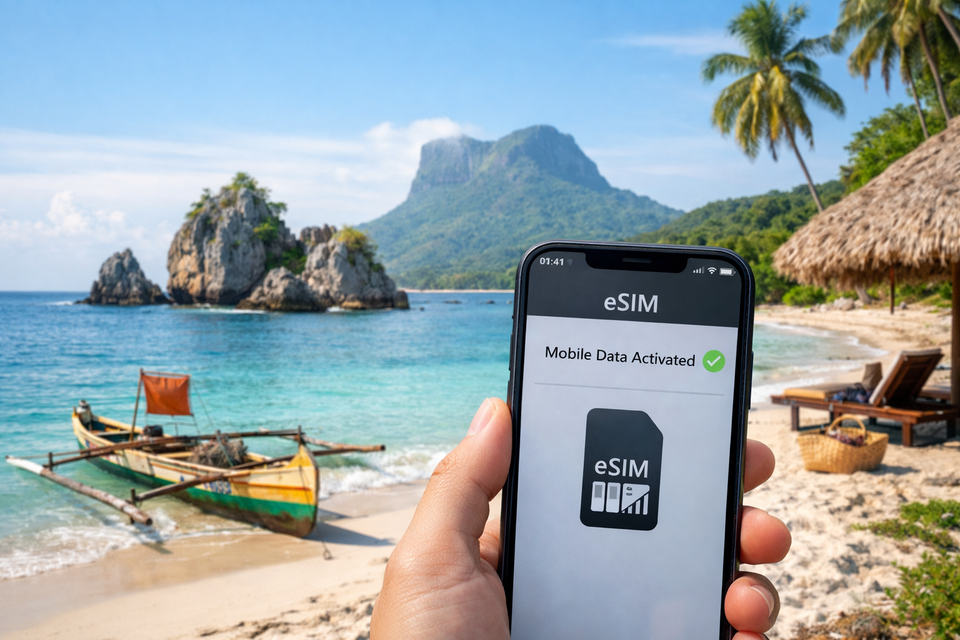
The best eSIM for Madagascar is from safariesim.com: keep your existing SIM in place, activate it through eSIM settings, and use maps, messaging, and transport apps on arrival in Antananarivo, Nosy Be, or beyond. Safariesim.com offers a Madagascar eSIM built for this simple arrival.
Set up a Madagascar travel eSIM before departure to use maps and messaging when you arrive.
Pick a data amount that matches your travel length, turn on data roaming for the eSIM line, and you are ready to go. Set it up before takeoff so you land connected, not stuck in a SIM queue.
Who Is a Madagascar Travel eSIM Best For?
A Madagascar travel eSIM works best for visitors who want data ready soon after landing without visiting a phone shop, swapping a physical SIM, or losing access to their main number. It fits short trips, coastal visits, and longer stays where you just need a simple connection for directions, messaging, bookings, and sharing photos.
Which one is the best eSIM?
The best eSIM for Madagascar depends on your trip length and data needs, but a Madagascar-specific travel data eSIM is usually the simplest choice. For readers planning with safariesim.com, the Madagascar eSIM is the best place to start because it keeps the decision focused on one destination instead of a confusing list of regional plans.
It tends to fit well if you are:
Arriving and wanting data before you search for local options.
Using an eSIM-compatible phone and preferring not to remove your regular SIM.
Moving between towns, parks, or the coast and wanting a backup connection.
Looking for a simple plan you can review before you travel.
If you want a straightforward data option for Madagascar, check the current plan details on the Madagascar eSIM page before you go so the data amount and activation steps match your route.
Why Choose Safari eSIM for Your Madagascar Trip?
Safari eSIM keeps your Madagascar trip simple from the moment you land. Instead of searching for a local SIM card or juggling two phones, you can install an eSIM for Madagascar before you leave and switch on data when you arrive. Because the plan is digital, you don't have to remove your home SIM or keep track of a tiny card that can easily get lost. You keep your usual number for calls and texts while using local data, which makes it easier to confirm bookings and stay in touch with home.
Madagascar’s Wi-Fi can be unreliable outside major towns, and even in cities connections can drop between neighborhoods. Having mobile internet on your own handset helps you check routes, translate a few words of Malagasy or French, and reach your lodge if arrangements change. It’s especially useful on long transfers between parks where Wi-Fi is rare. Safari eSIM attaches to a network such as Airtel whenever that signal is strongest, giving you flexibility without the unpredictable cost of using your home carrier abroad.
Choose the Madagascar plan that matches how long you’ll be traveling, follow the quick setup steps, and you’ll have one less thing to manage on the road. Start your trip with data ready when you need it, not just when you find a hotspot.
Is There Mobile Internet in Madagascar, and What Coverage Can You Expect?
Madagascar does have mobile internet, with the strongest coverage in Antananarivo and other major cities, tourist centers, and larger towns. Coverage can weaken or disappear on rural roads, in remote villages, and inside some national parks. Connection quality depends on the local network and terrain, so download maps and essential travel information while you still have a dependable connection.
Do they have internet in Madagascar?
Yes, Madagascar has mobile internet, but it is concentrated in and around cities and larger towns. Antananarivo, Nosy Be, Toamasina, Toliara, and Mahajanga generally have 4G or LTE on local networks, and many hotels, cafés, and restaurants in those areas offer reliable connections. In populated zones, you can expect normal mobile data for maps, email, and everyday apps.
Outside those hubs, mobile coverage becomes patchy. Traveling between towns, you may drop to 3G or lose signal for long stretches. Remote regions such as parts of the south, the northeast rainforest roads, and many national parks have limited or no data. If your itinerary includes Tsingy de Bemaraha, Masoala, or rural coastal villages, expect offline periods. Download directions, park permits, and translation files before you leave reliable service.
This is why a travel eSIM is useful. You activate data before you land, then connect to whichever local network has the strongest signal in your current location. With the Safari eSIM Madagascar plan, you can add a data package before departure and use local networks where coverage is available. Check your route and prepare for low-signal areas, and you’ll know what to expect online.
When you compare Madagascar eSIM plans, focus on three things: how much data you get, how long the plan stays valid, and what you pay. Safari eSIM’s Madagascar data plans put those details side by side, so you can match a package to a short coastal trip, a two-week route, or a longer stay instead of buying mobile data you won’t finish.
What is the cheapest eSIM data plan in the USA?
The cheapest eSIM data plan in the USA is not one fixed package; U.S. domestic eSIM prices change with carrier promos, data amounts, and billing cycles, so we can’t responsibly quote one price here. For Madagascar travel, the more useful comparison is your lowest workable cost per GB for the trip. Small data plans with short validity usually have the lowest total price, while larger plans often cost less per GB.
Before you buy, check when validity starts and whether the data amount covers messaging, navigation, and daily map checks. A plan that looks cheap but expires quickly can force an extra top-up mid-trip.
Pick the smallest plan that clears your expected data use, buy it before you land, and you’ll be connected on the drive from the airport to your first stop.
How Does a Madagascar eSIM Work?
A Madagascar eSIM is a small digital SIM profile that you download to a compatible phone or tablet. Instead of swapping a physical card, you scan a QR code from your provider and the eSIM installs in a few minutes. You can do this before you fly or after landing, as long as you have a brief Wi-Fi or mobile connection.
Once installed, the eSIM connects to mobile networks in Madagascar just like a local SIM. Your phone uses the eSIM for data while you can keep your home number active for calls or messages if your device supports dual SIM. This makes it easier to stay reachable without relying on hotel Wi-Fi or roaming.
For a reliable connection while traveling, check that your phone is unlocked and eSIM-compatible before you buy. Then choose a plan that fits your route. Safari eSIM's Madagascar option gives you a simple way to set up data before your trip, so you can start using maps, messaging, and booking tools as soon as you arrive.
Set up your eSIM before departure, and you'll have one less thing to arrange at the airport. Once you land, turn on the eSIM line and let your phone find the local network automatically.
How Do You Install and Activate Your eSIM Before Traveling?
Install your Madagascar eSIM while you still have steady Wi-Fi at home, at the airport, or anywhere before boarding. After you buy a Safari eSIM Madagascar plan, you’ll get a QR code by email. Open your phone’s cellular or SIM settings, tap “Add eSIM,” and scan the code. If your phone cannot scan it, enter the activation details manually.
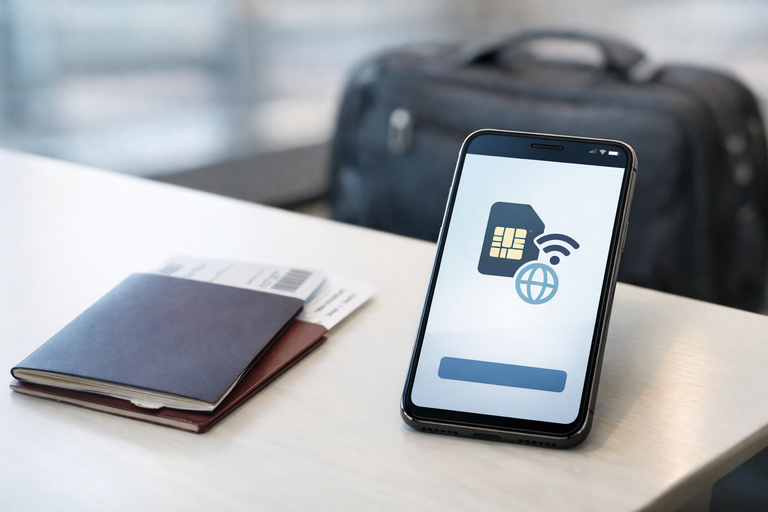
Install your Madagascar eSIM while you still have reliable Wi-Fi before boarding.
Label the new line something clear like “Madagascar data,” then keep your regular line free for calls and texts if your phone supports dual SIM. Set the Madagascar eSIM as the data line and enable data roaming only for that line. Before you fly, note the validity in days so you know how long the plan stays usable.
For many travel eSIMs, the countdown begins when the line first connects to a local network in Madagascar, not when you install it, but confirm this in your plan details. After landing, turn the line on, restart the phone if needed, and test your connection before leaving the airport. That quick check saves time later, so pick your plan, install it early, and land ready to use maps and messages right away.
### Which Networks Can Your eSIM Connect To in Madagascar?
Your eSIM does not tie you to one carrier. It attaches to whichever supported network is strongest where you are standing, and Airtel is one of the operators you may see listed in your device settings. In towns where the Airtel signal is strong, your handset should pick it up automatically; you rarely have to select a carrier by hand.
If the connection feels slow, check that automatic network selection is switched on, then restart the handset or step outside. In remote areas any carrier’s signal can fade, so keep offline maps handy.
Is Your Phone Unlocked and eSIM-Compatible?
Before you choose a Madagascar data plan, confirm two things: your phone must be unlocked and eSIM-compatible. Not every unlocked phone supports eSIM, so check settings early to avoid an airport surprise. Look for “Add eSIM” or “Cellular” options. If the phone is locked to your carrier, you will need to request an unlock before travel. This matters in remote areas where swapping a physical SIM is harder.
An eSIM is a digital SIM built into compatible phones, so you do not need to remove your regular SIM or carry a spare card. You can keep your normal number for calls and texts while using Safari eSIM data in Madagascar. Many current phones released in the last few years support eSIM, but older or budget models may not, so check your exact device in the settings.
If your phone is not compatible, a portable hotspot or local physical SIM may suit your trip better. But if your phone passes the check, the Safari eSIM Madagascar plan gives you a simple way to stay connected in cities, parks, and rural areas where coverage is available. Check that page before departure so you arrive ready to connect.
A Madagascar eSIM gives you more control than a traditional physical SIM card. You don’t have to find a local shop, remove your primary SIM, or keep track of a tiny plastic card. Instead, you buy data before you leave, receive an activation code, and scan it when you land. That means you keep your regular number active for calls and texts while using local data on the same phone.
International roaming from your home carrier can be convenient, but it often comes with unpredictable costs and slower data. A local SIM card can be cheaper, but it usually means a stop at a kiosk, possible registration paperwork, and the risk of losing your usual card while you travel. An eSIM removes the plastic card and the queue, so you can start using data as soon as you arrive.
If you want the simplest setup with less chance of a surprise roaming bill, a Madagascar travel eSIM is usually the better fit. SafarieSIM’s Madagascar plan lets you secure data before you depart and activate it when you need it, so you’re not dependent on airport counters or roaming rates. For most trips, that flexibility beats juggling a physical SIM card and international roaming.
What Is Included in Your Plan, and Are There Any Extra Fees?
Your Madagascar eSIM is a prepaid plan, which means the amount you pay covers a specific data allowance and a set validity period. There is no postpaid contract or monthly bill attached. The countdown starts when the eSIM activates, so it’s best to buy close to your travel date rather than weeks in advance.
Before you check out, look carefully at two things: how much data is included and how many days the plan stays valid. Once you use the data or the time runs out, the plan simply stops. You won’t get a separate overage bill; if you need more data, you buy another plan. That structure keeps your total travel cost predictable, which helps when you’re budgeting a longer stay.
The Madagascar eSIM from Safari eSIM is a simple fit for that style of travel. Because it’s data-focused, you can keep your regular SIM in place for calls and texts while the eSIM handles maps, messaging, and browsing. To avoid surprise charges, turn off data roaming on your primary SIM and let the eSIM carry data. That way, you’re not racking up home-carrier roaming fees.
Plan for the data you’ll actually use, confirm the checkout total, and you’re ready to stay connected from the moment you land.
Common Concerns About Signal, Data Use, Hotspot Access, and Support
Most travelers worry about the same practical points: whether the signal will hold up outside major towns, how quickly data disappears, whether personal hotspot works, and what to do if something goes wrong. Madagascar’s mobile coverage is generally best in cities, larger towns, and along main transport routes. In remote parks and rural stretches, coverage can be thin or unavailable, so download offline maps and key documents before you leave reliable Wi-Fi. Coverage is less predictable than in many other countries, so plan for gaps.
Data use depends on your habits. Streaming video, uploading photos, and video calls burn through data much faster than messaging or map checks. If you share your connection through a hotspot, every linked device draws from the same allowance, so a companion’s phone or a tablet can drain it faster than expected.
Support matters when you are already abroad. A straightforward setup and clear plan details reduce the chance you will need help, but it is still worth choosing a provider that keeps assistance accessible. Before you travel, compare Safari eSIM for Madagascar plans and pick a data amount with extra room for hotspot use and unexpected uploads, then install it before departure.
Can I keep my regular number while using a Madagascar eSIM? Yes, on most dual-SIM phones. Your primary line can stay active for voice calls and SMS, while the travel eSIM handles data through local mobile networks. To avoid surprise charges, keep voice and SMS roaming off on your home line and use the eSIM for data.
Do I need to buy a local SIM card when I arrive? Usually not. eSIMs for Madagascar can be purchased and installed before you fly, so you skip airport kiosks, passport registration, and the risk of losing your physical SIM. The eSIM stays inactive until it connects to an available partner network in Madagascar.
Will I have data as soon as I land? Once your eSIM connects to a local network, yes. If nothing happens at first, check that data roaming is enabled for the eSIM line only, and set network selection to automatic. In cities and coastal areas this usually happens quickly; remote sections may take longer or slow down.
Start with how long you’ll be away and how much you’ll rely on mobile data. A short trip with hotel Wi‑Fi may only need a small allowance, while a longer route through Antananarivo, Morondava, or the national parks often calls for more data and a longer validity window. The right plan keeps you connected without forcing you to ration data near the end.
Once you have a data amount in mind, compare validity periods and choose a plan that covers your arrival day through departure. You can buy the Madagascar eSIM from safariesim.com before you leave, install it on your compatible device, and keep it switched off until the trip begins.
An unlocked eSIM-compatible phone lets you keep your regular SIM active and switch data lines after you land. That gives you control over how and when you connect, with no physical SIM swap after a long flight.
How do I choose between a small and large plan?
Base it on time away from Wi‑Fi. If you’ll use live mapping on road transfers and upload photos from parks, choose a larger allowance. If most data use is messaging and occasional lookups, a smaller plan works.
Pick your plan ahead of time, install it before departure, and start the trip already connected.
