Quick answer: The main Safaricom eSIM benefits are instant digital activation, no plastic SIM card to lose, support for several numbers on a single phone, and easier travel and roaming management. You receive your eSIM QR code via email, download the profile in a few steps, and keep your Safaricom line, calls and data plans running on any eSIM-compatible device in Kenya.
Safaricom eSIM technology is transforming mobile connectivity in Kenya. This digital SIM, an embedded sim built into compatible devices, offers a seamless way to activate mobile plans without needing a physical SIM card.
With eSIM, users enjoy greater flexibility and convenience. Switching between networks is easier, and managing multiple eSIM profiles on one device, including multiple numbers, becomes simple.
That flexibility matters most when you travel. You can keep your Safaricom number active for calls and M-Pesa while a second profile handles data roaming abroad, so one phone covers two different networks at once.
Safaricom eSIM is compatible with many modern devices, making it a versatile choice for tech-savvy users.
Because the profile is software rather than plastic, you can start the request in store or through the Safaricom eSIM online channels, then carry the same mobile number onto a new handset without waiting for a replacement SIM card to be delivered.
What is Safaricom e SIM?
The Safaricom e SIM is a digital version of a physical SIM card and a modern alternative to the traditional SIM card. It lets Safaricom users in Kenya activate a mobile plan without inserting a physical card, making setup simpler while adding more flexibility for compatible phones, tablets, and wearables.
If you already use Safaricom or are considering joining the network, this guide explains what Safaricom eSIM is, how it differs from a regular SIM, which devices support it, how activation works, and the main benefits it offers. For users who want easier switching, better security, support for multiple profiles, and a more sustainable way to stay connected, eSIM is an important step in the future of mobile connectivity in Kenya.
The technical standard behind it is maintained by the GSMA, which means a Safaricom eSIM profile works the same way as eSIM profiles from operators in other countries.
That standard has been in commercial use since 2016, and Safaricom has supported eSIM in Kenya for several years, so this is settled technology rather than a trial. The GSMA expects the majority of smartphones shipped worldwide to be eSIM-capable by 2030.
Key features of Safaricom eSIM include
Greater convenience and flexibility
Ability to switch networks effortlessly
Support for multiple profiles on one device
Remote provisioning: the profile is delivered as a QR code you receive via email
This technology supports seamless connectivity, enhancing user experience for those embracing the digital era.
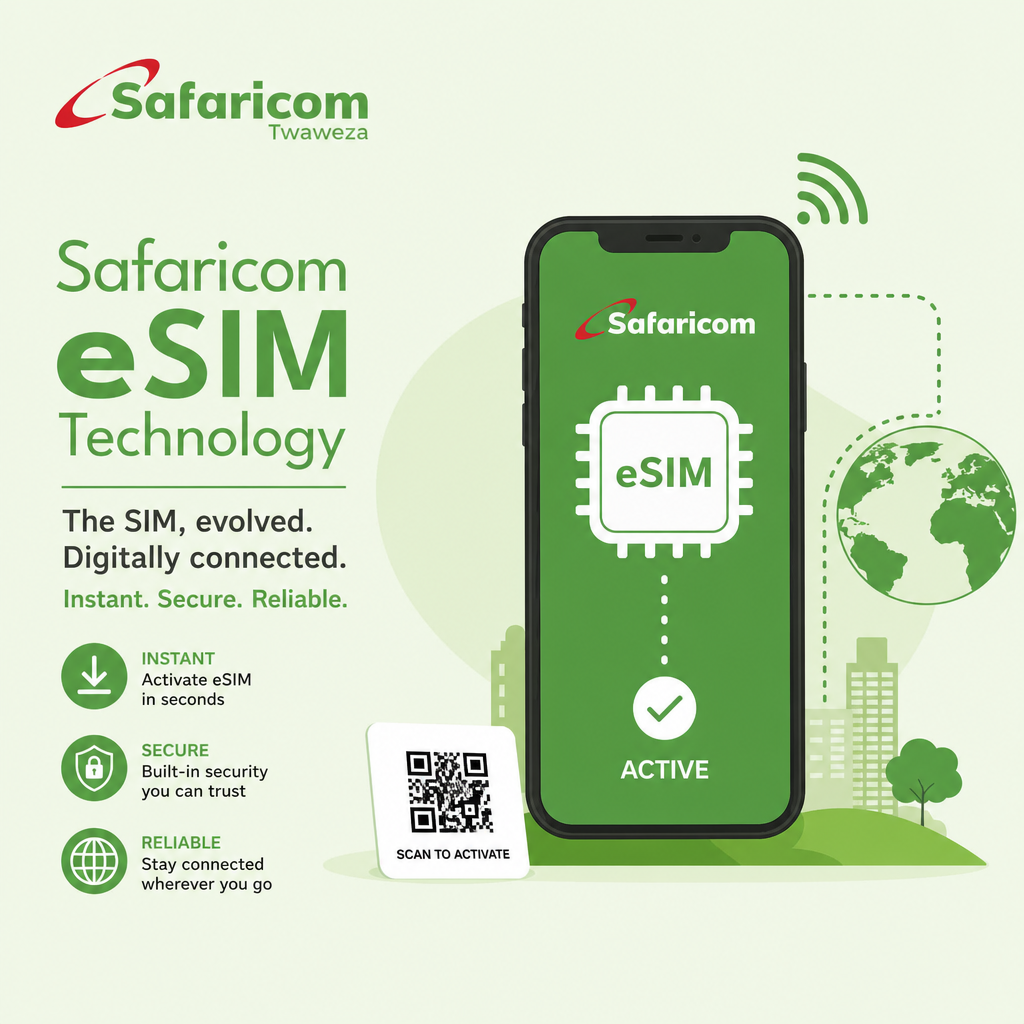
eSIM vs Physical SIM: Key Differences
eSIM and traditional SIM cards serve the same primary purpose but differ in form and functionality. The eSIM technology eliminates the need for a physical card, making it embedded and more secure.
Here are the notable differences
eSIM is an embedded SIM, while a traditional SIM is removable
On an eSIM-compatible device, the activation process can work remotely; a SIM requires physical handling
eSIM supports multiple profiles; SIM is limited
An eSIM profile arrives as a download; a plastic SIM has to be collected or delivered
eSIMs offer greater flexibility and convenience in comparison to traditional SIM cards, with reduced risk of SIM card loss compared with a removable SIM card. Transitioning to eSIM technology reflects evolving mobile connectivity needs.
Side by side, the practical gap looks like this
Feature | Safaricom eSIM | Physical SIM card |
|---|---|---|
Setup time | Usually under 10 minutes once the QR code arrives by email | Same shop visit, plus travel time if a card must be delivered |
Typical cost in Kenya | Standard registration or swap fee, commonly around KSh 100 | Standard registration or swap fee, commonly around KSh 100 |
Profiles per device | Several stored, usually 1–2 active at a time | One per SIM slot |
Risk of loss | None physically; the profile can be reissued remotely | Card can be lost, snapped or worn out |
Replacing a phone | Transfer or re-download the eSIM profile | Move the card, if the tray size matches |
Main Benefits of Safaricom eSIM
Safaricom eSIM technology introduces numerous benefits that enhance user experience. One major advantage is its unparalleled convenience, as it allows users to easily switch networks digitally without changing physical cards. This makes it ideal for frequent travelers who change locations and networks often.
Another key benefit is the enhanced security it offers. The embedded nature of eSIM lowers the risk of loss or damage. Users also gain peace of mind with advanced security features that make theft and loss less likely.
Here's a list of advantages
Supports multiple profiles
Environmentally friendly; no plastic card waste
Easy to request eSIM online, with convenient access to setup
Keep one number for calls and M-Pesa while a second profile carries travel data
Moreover, Safaricom eSIM promotes sustainability by reducing plastic use from traditional SIM cards. It aligns with global movements towards more sustainable technologies.
A further advantage Safaricom customers mention is speed of recovery: if your phone is stolen, the profile can be reissued remotely rather than replaced over a counter.
Safaricom's commitment to digital transformation is evident with their eSIM technology. This innovation not only simplifies connectivity but also facilitates better network management.
Why Choose E-SIM
The short version: an eSIM removes the two steps that usually slow people down, which are getting hold of a plastic sim card and getting it into the phone. Everything else stays familiar. Your Safaricom number, your M-Pesa wallet, your saved contacts and your existing bundles all behave exactly as before.
Faster start: the QR code normally reaches your email within a few minutes, and installation takes about 2 minutes.
Two lines, one phone: run a Kenyan Safaricom line for calls and M-Pesa alongside a travel data profile, with no dual-SIM tray needed.
Cheaper roaming: local data replaces home-network roaming that can run at several dollars per megabyte.
Less waste: no plastic card, no packaging, no courier trip.
Harder to lose: nothing to drop at a hostel or leave in the old handset.
eSIM Compatibility and Supported Devices in Kenya
Safaricom eSIM in Kenya works on any supported device in Kenya. This lets users connect on a compatible phone, tablets, and wearables without needing a physical SIM slot, though some models may have limited eSIM functionality. It's essential to confirm your device is eSIM compatible and ready before activation.
Checking Safaricom eSIM device compatibility takes about a minute: open your phone settings, search for "eSIM" or "add data plan", and look for an EID number. Apple publishes its supported models in the official eSIM support guide, and most Android makers list the same information on their device pages.
Here is a list of some compatible devices
iPhone models including iPhone XS and later
Selected Samsung Galaxy S and Note series
Google Pixel 3 and newer
Some tablets that support eSIM
Supported wearables with eSIM capability
One caveat worth checking before you pay: iPhone 14 and later models sold in the United States ship without a SIM tray at all, so eSIM is the only option on those handsets.
As eSIM technology gains popularity, the list of compatible devices continues to grow. Safaricom is committed to expanding support to ensure more users can benefit from this digital advancement.
How to Activate Safaricom eSIM at a Safaricom Shop
Activating your Safaricom eSIM is straightforward, but you must be physically present at a Safaricom Shop to purchase it. During the request process, Safaricom may verify your account and phone number, and after you request the eSIM, check your email for the QR code for installation. Authenticate with your M-Pesa PIN during the eSIM request. During activation, authenticate again with your M-Pesa PIN before scanning the eSIM QR code and installing the profile.
Bring your original ID and the phone you plan to use, since the QR code is scanned on that device during the same visit.
Follow these steps for eSIM activation
Visit a Safaricom Shop or open the relevant Safaricom online page.
Request the eSIM activation option and agree to the terms if prompted.
Scan the provided eSIM QR code, then go to your device settings to download and install the profile so your device can connect to the Safaricom network.
In practice the QR code lands in your inbox within a few minutes, and the whole Safaricom eSIM activation is usually done in under 10 minutes at the counter. Keep the email: the code can normally be installed only once, so do not share it with anyone.
If your device is not compatible or not updated, you may see a notification during setup.
The process ensures a hassle-free setup, allowing you to start using the eSIM quickly. Safaricom also offers customer support to address any questions or concerns during activation.
If the email never arrives or the profile fails to install, call 100 from your Safaricom line, dial 0722 002100 from another number, or email customercare@safaricom.co.ke with your account information ready.
Why Safaricom eSIM is the Future of Mobile Connectivity
The shift to eSIM technology marks a significant advancement in mobile connectivity. With Safaricom eSIM, users connect without a removable SIM and can switch services more seamlessly on one account where relevant. This digital SIM removes the limitations of physical cards, and after activation, service can be managed through an app.
As more devices support eSIMs, the adoption rate increases globally and will continue as more eSIM-ready devices and apps support the service. Safaricom's commitment to embracing this technology showcases its drive towards innovation. Adopting eSIMs aligns with global trends for more integrated and sustainable mobile solutions.
Network capability supports that direction: Safaricom launched commercial 5G in Kenya in October 2022, with advertised peak speeds of up to roughly 700 Mbps in covered areas, while 4G reaches the large majority of the population. Subscriber figures published by the Communications Authority of Kenya put Safaricom at roughly two-thirds of the mobile market.
Benefits of eSIM for Kenya Travel
For visitors, a Safaricom eSIM Kenya profile removes the airport queue entirely: you install the plan before you land and arrive connected.
🦁 Safari Connectivity
Coverage reaches the main conservancies and lodge areas in the Maasai Mara, Amboseli and Samburu, so you can share sightings and check road conditions between game drives. Signal thins inside deep valleys, so download offline maps first.
🏖️ Beach Coverage
Diani, Watamu, Malindi and Nyali have solid 4G and 5G in the main towns, which is enough for video calls home from the coast.
💰 M-Pesa Access
M-Pesa runs on a Kenyan number, so a local Safaricom profile lets you pay lodges, matatus and shops directly instead of hunting for card terminals. M-Pesa serves more than 30 million active customers in Kenya, and many small businesses treat it as the default way to be paid.
🗺️ Navigation
Live traffic in Nairobi and Mombasa is only useful with data, and an eSIM keeps maps running without expensive home-network roaming charges.
🚁 Emergency Contact
Emergency services answer on 999, 112 or 911 in Kenya, and flying-doctor style evacuation memberships expect a working phone number. Keep both profiles active so you can always place a call.
📸 Photo Backup
Larger data plans let you back up safari photos each evening rather than carrying the only copy on your phone. A 10 GB plan is a comfortable two-week allowance for maps, messaging and nightly photo uploads.
How to Install Your Kenya eSIM
If you are buying a travel eSIM rather than a Safaricom line, the whole thing happens by email and takes a couple of minutes. Install it while you still have Wi-Fi at home, then switch it on after landing.
Simple Installation Steps
Check compatibility: confirm your phone is eSIM-ready and network-unlocked.
Order the plan and wait for the confirmation email carrying your QR code.
Open Settings, add a cellular or mobile plan, and scan the code.
Label the new profile so you can tell it apart from your home line.
On arrival in Kenya, set the travel eSIM as your data line and turn data roaming on for that profile only.
That last step is the one people miss: leaving roaming enabled on your home profile is what produces the surprise bill.
Quick Facts About Kenya
General Information | Travel Information |
|---|---|
Capital: Nairobi | Country dialling code: +254 |
Currency: Kenyan Shilling (KES) | Emergency numbers: 999, 112, 911 |
Time zone: EAT (UTC+3) | Plug types: G (240V) |
Main networks: Safaricom, Airtel, Telkom | Languages: Swahili, English |
Frequently Asked Questions
How much does Safaricom charge for eSIM?
Safaricom does not sell the eSIM profile as a separate premium product. You pay the standard SIM registration or replacement charge at a Safaricom shop, commonly around KSh 100, and then buy whichever data bundle or voice plan you want, with daily data bundles starting from roughly KSh 20. Because tariffs change, confirm current pricing on safaricom.co.ke before you travel.
What is the disadvantage of eSIM?
The main drawback is that you cannot move a profile between phones by simply swapping a card. If your handset dies, you usually need network involvement or a transfer flow to reinstall the line, and older or budget devices may not support eSIM at all. Some QR codes are single-use, so losing the email can mean requesting a fresh one.
How does Safaricom eSIM work?
Safaricom issues a profile tied to your number, sends it to you as a QR code via email, and your phone downloads the operator settings over Wi-Fi or existing data. Once installed, the eSIM behaves exactly like a physical SIM for calls, SMS, M-Pesa and data, and you can toggle between profiles in your device settings.
Which eSIM is best for Kenya?
For long stays, a local Safaricom eSIM is the strongest choice thanks to the widest coverage and M-Pesa access. For a one or two week trip where you do not want a shop visit, a travel eSIM such as SafarieSIM is faster to set up, since it activates remotely before departure. Many travellers run both: Safaricom for a Kenyan number, a travel plan for data. Travel agents and tour operators serving Kenya-bound clients can offer the same travel eSIM through the SafarieSIM partner portal.
Can I get a Safaricom eSIM without visiting a shop?
A new Safaricom line still requires in-person identity verification, so the first activation happens at a shop or dealer. Travel eSIMs are the alternative if you want everything handled online, because the QR code is emailed to you and no registration visit is involved.
How long does Safaricom eSIM activation take?
Budget about 10 minutes in the shop. The request and M-Pesa PIN authentication take a couple of minutes, the email with the QR code usually arrives within five, and installing the profile on your phone is a single scan plus a short download.
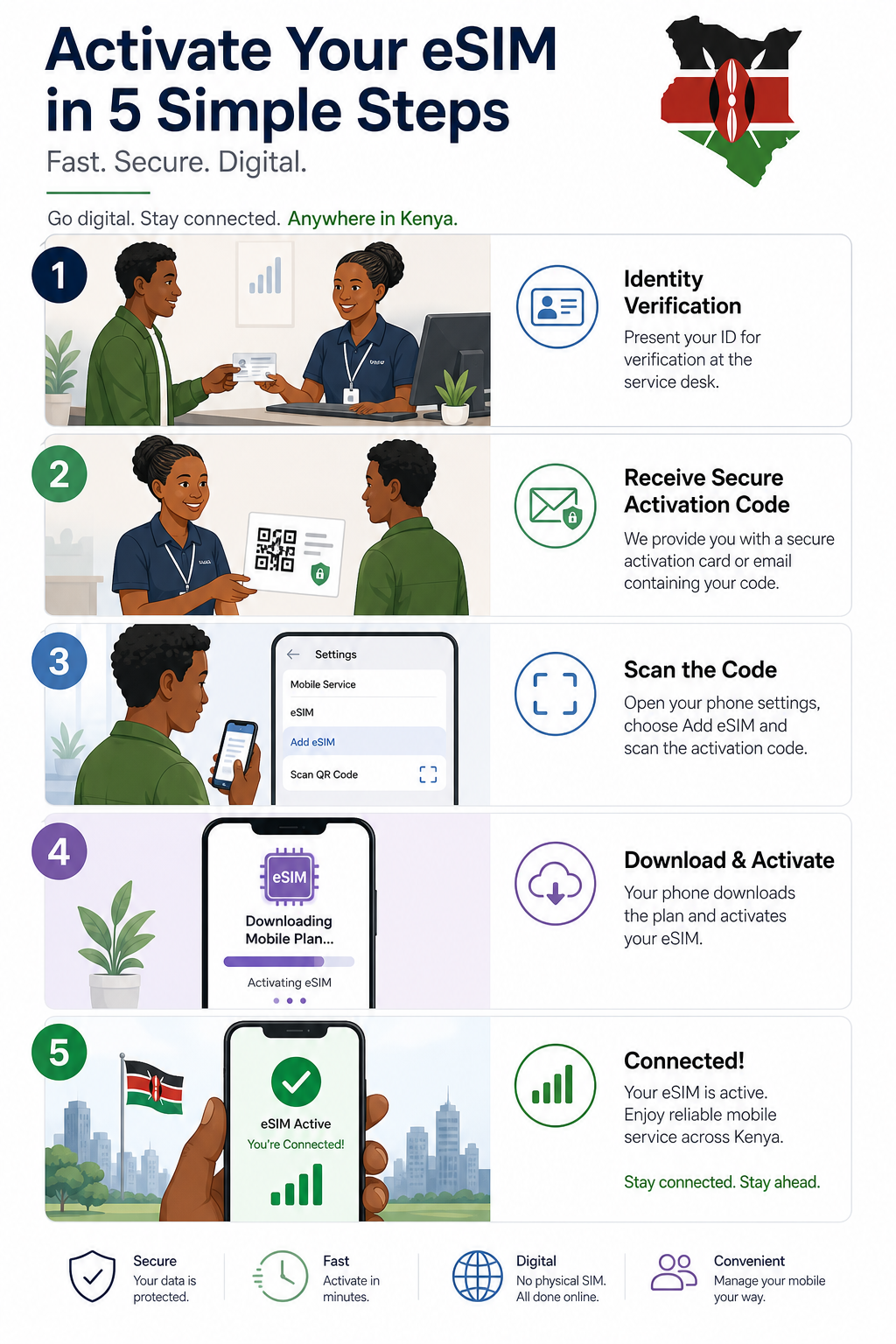
Activation generally involves identity verification, a secure QR code, and installation through the phone's mobile network settings.