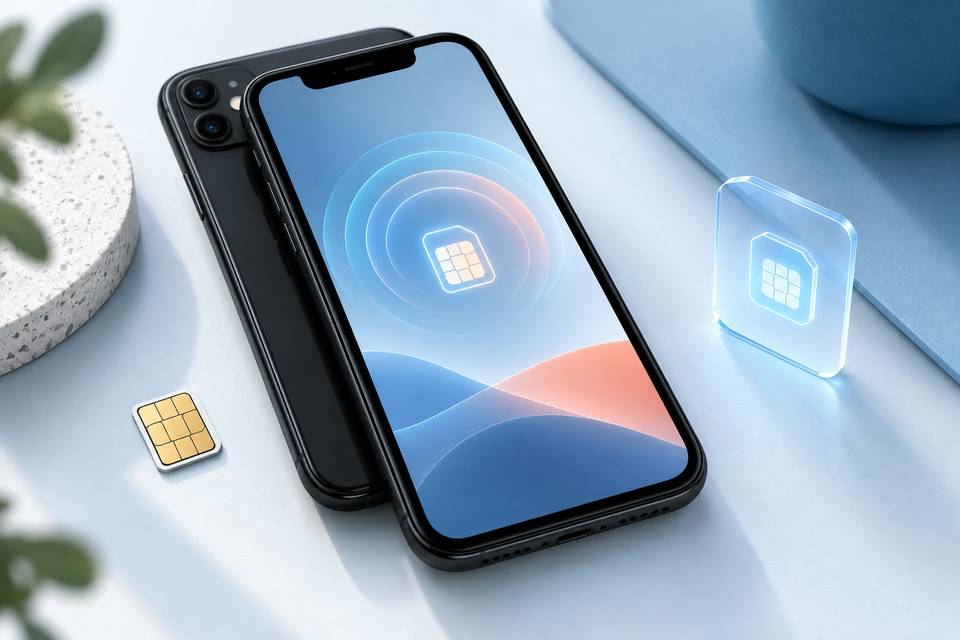
Yes, the iPhone 11 supports eSIM technology. Apple included dual SIM capability in the iPhone 11, meaning you can use one physical SIM card plus one eSIM at the same time. This lets you maintain two phone numbers or data plans on a single device without swapping SIM cards.
The eSIM works by storing your carrier profile digitally inside the iPhone 11. Instead of inserting a physical chip, you activate your plan using a QR code from your carrier or through their app. Once activated, the digital eSIM functions exactly like a traditional SIM card for calls, texts, and mobile data.
If you travel frequently or want to separate work and personal lines, the iPhone 11's eSIM support makes it simple to add a second number. Many carriers now offer eSIM plans specifically designed for international data, which you can activate in minutes without visiting a store or waiting for a physical card to arrive.
Your phone number stays tied to whichever SIM you designate as primary for voice calls. You can assign one phone number to the physical SIM and a second phone number to the eSIM, then choose which line to use for outgoing calls, messages, and cellular data. Both numbers remain active simultaneously, so you'll receive calls and texts on either line without manual switching.
Quick Answer: Most iPhone 11 Models Support eSIM
The standard iPhone 11, iPhone 11 Pro, and iPhone 11 Pro Max shipped with dual SIM capability.
On eSIM-capable models, a physical SIM card slot works alongside the eSIM.
Dual SIM lets you run two phone numbers or data plans on one device.
Models sold in mainland China and Hong Kong use two physical nano-SIM slots instead of the eSIM-plus-physical setup.
Travelers can keep a home number active on the physical SIM and add a local or regional eSIM for data without removing anything from the device.
You can activate an eSIM by scanning a QR code from your carrier or entering an activation code manually in Settings. Once activated, your iPhone 11 treats the eSIM just like a physical SIM card: you'll see both lines in Settings, choose which one handles calls and data, and switch between them without swapping hardware.
When you add eSIM capability to your iPhone 11, you unlock dual-line functionality without needing a second physical card. To add eSIM service, contact your carrier for a QR code or download their app to provision the profile remotely. The setup takes a few minutes and your phone number appears immediately under Settings > Cellular once activation completes.
Check Model, Carrier, Region, and Unlock Requirements
Not every iPhone 11 can use eSIM right out of the box. Models sold in mainland China (A2223) and Hong Kong/Macao (A2221) ship with dual physical SIM slots instead of eSIM support. You can verify your model number in Settings > General > About.
Your device must be carrier-unlocked to activate an eSIM from a different provider. Phones purchased directly from Apple are typically unlocked, but carrier-financed models may remain locked until the contract is paid off. Check unlock status by inserting a SIM card from another network—if it connects, you're unlocked.
Most major carriers now support eSIM activation on the iPhone 11, including Verizon, AT&T, T-Mobile, and international operators across Europe, Asia, and Africa. Smaller regional carriers may still require a physical SIM card. Confirm eSIM compatibility with your carrier before purchasing a data plan to avoid activation issues.
How to Activate an eSIM on iPhone 11 with a QR Code or Manual Details
Once you've purchased an eSIM plan, your provider will send activation instructions. The QR code method is the fastest: open Settings > Cellular > Add Cellular Plan, then point your iPhone 11 camera at the code. The eSIM installs in seconds and appears alongside your physical SIM if you have one inserted.
If your provider sends manual details instead, tap Enter Details Manually on the same screen. You'll need the SM-DP+ address and activation code—copy them exactly as shown in your confirmation email. Label the new plan something clear like "Egypt Data" or "Travel eSIM" so you can switch between lines easily.
After activation, go to Settings > Cellular to set which line handles calls, texts, and data. You can keep your primary SIM for calls and route data through the eSIM, or disable the physical SIM entirely while traveling. The iPhone 11 supports one eSIM active at a time, plus one physical SIM.
Manage a Physical SIM and eSIM with Dual SIM Settings
Once you activate an eSIM on your iPhone 11, you can run two plans simultaneously—one on the physical SIM card and one on the eSIM. To choose which line handles cellular data, calls, or iMessage, open Settings > Cellular and tap Cellular Data. Select your preferred plan for internet access.
You can assign a default line for voice calls under Default Voice Line, and the device will label each number so you know which plan is ringing. If you travel frequently, switch your data line to the eSIM plan while keeping your primary number active for calls and texts on the physical SIM. This setup lets you avoid roaming fees without swapping SIM cards.
To turn off a line temporarily, toggle it off in the same Cellular menu. Your iPhone 11 stores multiple eSIMs, but only one eSIM and one physical SIM can be active at the same time. Swap between stored eSIMs by tapping the plan you want to enable.
Set Up a Travel eSIM and Avoid Unexpected Roaming Charges
International roaming with your home carrier often costs $10–15 per day, which adds up fast on a two-week trip. A travel eSIM lets your iPhone 11 connect to local networks abroad without swapping your physical SIM card or paying those daily fees.
You can buy a data plan before you leave, receive a QR code by email, and scan it in Settings to activate the eSIM. Many plans offer 1–20 GB of data across popular destinations, valid for 7 to 30 days. Once activated, your iPhone 11 runs both your home number on the physical SIM and the travel data plan on the eSIM simultaneously—calls and texts use your original number while mobile data routes through the cheaper local network.
This dual-SIM setup means you stay reachable without surprise charges when you land. Check that your device is carrier-unlocked before you travel; locked iPhones reject eSIMs from other providers.
Best eSIM Plans for South Africa: Safari eSIM, Airalo, Saily, and Vodacom
If you're traveling to South Africa with your iPhone 11, Safari eSIM offers data plans starting at 1GB for 7 days, with larger options up to 20GB for 30 days. Activation happens in minutes—scan the QR code, and your device connects without swapping a physical SIM. Airalo provides South Africa plans from 1GB to 10GB, typically priced for short trips. Saily focuses on flexible data packages, while Vodacom offers local eSIM plans if you prefer a South African carrier directly.
Safari eSIM works across dozens of destinations, so one plan can cover multiple countries if your trip extends beyond South Africa. Compare data allowances and validity periods before you activate—most travel eSIMs don't roll over unused data. Check that your iPhone 11 is unlocked and carrier-compatible, then install the eSIM profile before departure to avoid hunting for Wi-Fi at the airport.
Carrier-specific guidance for Optus, Kogan, Spark, and Safaricom
Optus (Australia) supports eSIM on iPhone 11 for postpaid and prepaid plans. Download the My Optus app, request an eSIM swap, and scan the QR code. Allow 2 hours for activation if converting from a physical SIM.
Kogan Mobile (Australia) requires you to order an eSIM plan online. You'll receive a QR code by email within minutes. Enter the activation code manually if the camera won't scan, and keep your physical SIM as a backup during travel.
Spark (New Zealand) lets existing customers swap to eSIM through the Spark app or in-store. New customers receive a QR code at purchase. The iPhone 11 must be network-unlocked to use Spark eSIMs purchased abroad.
Safaricom (Kenya) offers eSIM for postpaid lines. Visit a Safaricom shop with your ID to request the profile, then scan the QR code on your device. Prepaid customers still need a standard SIM card. Learn more about Safaricom eSIM benefits for data and voice plans.
How to Transfer an eSIM from iPhone 11 to a New iPhone
When you upgrade from an iPhone 11 to a newer model, you can transfer your eSIM directly during setup without contacting your carrier. On iOS 16 and later, the Quick Start process detects active eSIM plans and prompts you to move them to the new device. Both iPhones must be nearby, signed into the same Apple ID, and running a compatible iOS version.
If Quick Start doesn't offer the transfer option, open Settings > Cellular on your old iPhone 11, tap the plan you want to move, and select Convert to eSIM or Transfer if available. Some carriers require you to request a new QR code or activate the eSIM manually on the new device. Your physical SIM card stays in the iPhone 11 and won't transfer—only eSIM data moves between devices.
Once the transfer completes, the eSIM on your iPhone 11 deactivates automatically. If you're setting up a travel eSIM for your new phone, check out available destinations to stay connected abroad.
Troubleshoot Activation, Cellular Data, and Network Connection Problems
If your iPhone 11 eSIM won't activate, restart your device and confirm you entered the QR code or activation details correctly. Check that your carrier supports eSIM and that your plan is active—some providers require you to contact support before the eSIM profile downloads.
No cellular data after activation usually means the eSIM line isn't set as your default for mobile data. Open Settings > Cellular, tap Cellular Data, and select the eSIM line. If you're using both a physical SIM and eSIM, make sure the correct line is chosen for data.
Weak signal or "No Service" can point to a carrier settings update. Go to Settings > General > About and wait fifteen seconds—if an update is available, a prompt appears. Toggle Airplane Mode on and off to force the iPhone 11 to reconnect. If the problem continues, remove and reinstall the eSIM profile from Settings > Cellular, then scan the QR code again.
eSIM Disadvantages, Security Considerations, and iPhone 11 Limitations
While eSIMs offer flexibility, they come with tradeoffs. You can't instantly swap an eSIM between devices the way you slide a physical SIM card into a new phone—transferring requires Wi-Fi, carrier approval, and a few minutes of setup. If your iPhone 11 battery dies or the device breaks, you lose immediate access to your plan until you can activate the eSIM on another device.
Security is generally strong: eSIM profiles are encrypted and tied to your device's hardware, making them harder to clone than physical SIM cards. However, if someone gains access to your iCloud account and your carrier allows remote eSIM transfers, they could potentially move your number without physical access to your phone. Enable two-factor authentication and use a strong passcode to prevent unauthorized transfers.
The iPhone 11 supports only one active eSIM at a time, though you can store multiple profiles. If you travel frequently and want to juggle several data plans without deleting profiles, newer models like the iPhone 13 and later handle multiple active eSIMs simultaneously—a limitation worth noting if you're comparing devices.
Can You Continue Using an iPhone 11 After 2026?
Yes, the iPhone 11 will remain functional well beyond 2026. Apple typically supports devices with iOS updates for six to seven years after launch, and the iPhone 11 launched in 2019 with iOS 13. It currently runs iOS 18 and will likely receive security patches through 2025 or 2026, keeping your device secure and compatible with most apps.
Once official iOS updates end, your iPhone 11 will still work for calls, texts, mobile data, and eSIM activation. Carriers continue supporting older devices on their networks, so you can activate an eSIM or physical SIM card as long as the hardware functions. The main limitations appear gradually: newer apps may require later iOS versions, and some advanced features in carrier updates won't reach your device.
If you rely on your iPhone 11 for travel eSIMs or dual SIM setups, plan to use it confidently through 2027 and beyond. The A13 chip remains capable, and eSIM technology itself doesn't expire with software updates.
iPhone 11 eSIM FAQs: Capacity, Deletion, Hotspots, Calls, and 5G
How many eSIMs can the iPhone 11 store?
The iPhone 11 can store up to 8 or more eSIM profiles on the device, but only one eSIM can be active at a time alongside your physical SIM card. You switch between stored eSIMs in Settings > Cellular without needing to scan a new QR code each time.
Can I delete an eSIM from my iPhone 11?
Yes. Go to Settings > Cellular, tap the eSIM plan you want to remove, then select Remove Cellular Plan. This deletes the profile from your device. If you need to reactivate the same plan later, contact your carrier for a new QR code or activation details.
Does the iPhone 11 support 5G with an eSIM?
No. The iPhone 11 uses 4G LTE only, regardless of whether you activate a physical SIM or eSIM. The eSIM activation process does not change the modem capabilities built into the device.
Can I use Personal Hotspot with an active eSIM?
Yes. Personal Hotspot works with either your eSIM or physical SIM as long as your mobile data plan allows tethering. Select which line shares data in Settings > Cellular > Personal Hotspot, then toggle it on.
Can I make calls using my eSIM on iPhone 11?
Yes. The iPhone 11 supports voice calls, iMessage, and FaceTime over both the physical SIM and eSIM. You choose a default line for voice calls in Settings > Cellular, and you can switch lines mid-call if both are active under Dual SIM Dual Standby.